
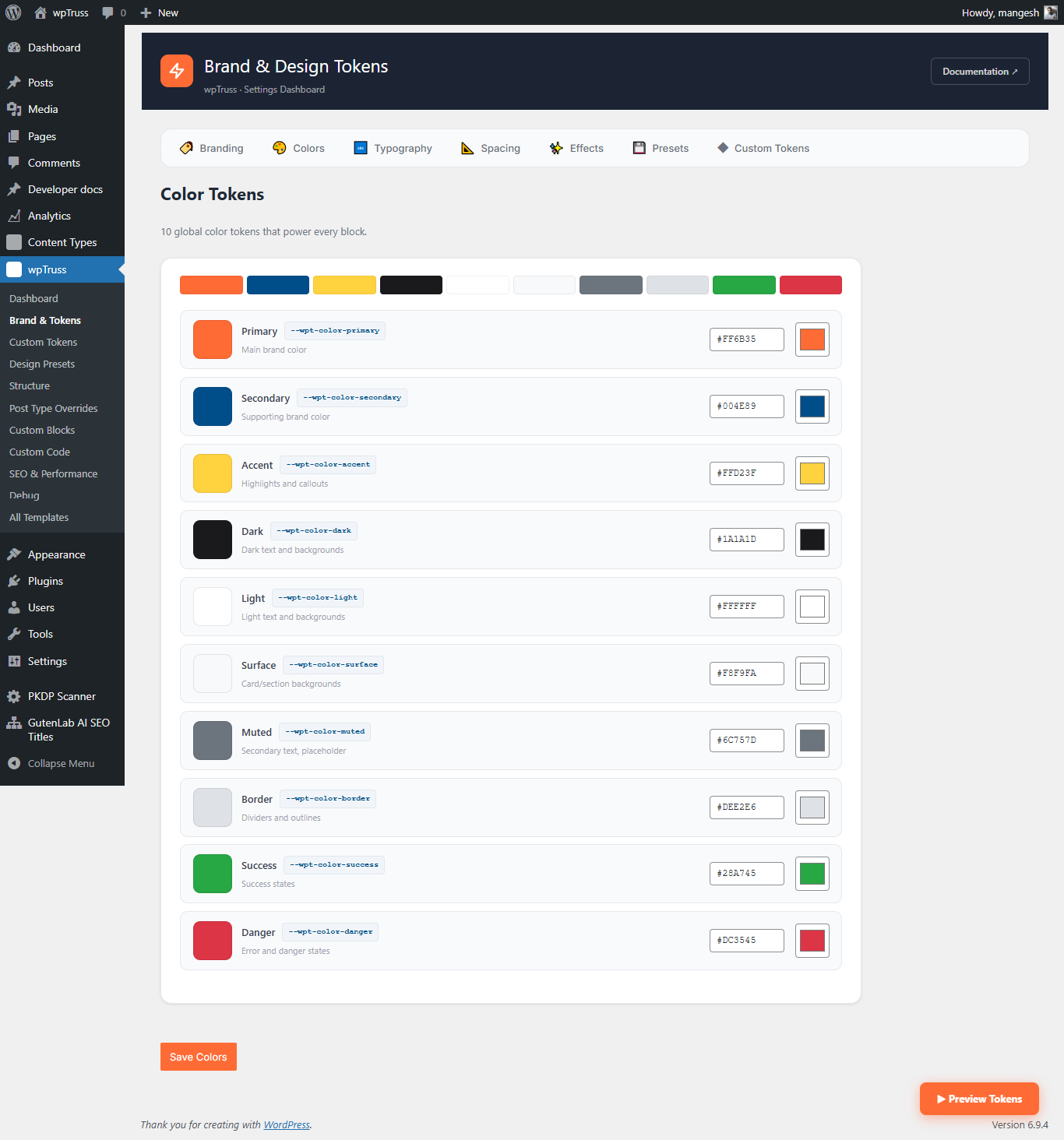
How to Change Your WordPress Brand Colour Without Breaking Everything
For many WordPress agencies, a client asking for a brand color change is a dreaded task. What sounds like a two minute job often turns into a two day hunt. You change the color in the theme settings, but the buttons in your custom blocks stay the old color. Then you find a dozen different shades of blue hidden in your CSS files, and before you know it, your billable hours are gone.
The Problem with Hardcoded Colors
The reason rebranding is so hard is that most WordPress setups store colors in too many places. They are in your theme, your page builder, your custom CSS, and even inside individual blocks. This is what developers on forums like Reddit often call CSS Debt. When you change one thing, something else breaks because the system is not connected.
The Fix: Centralized Design Decisions
wpTruss changes this by taking the brand control away from the theme and putting it into a master system. We call these our 141 Design Decisions. Instead of hunting through code, you update your brand color in one central panel. Because wpTruss uses a professional design tokens engine, that one change flows through every part of your site instantly.
Why Agencies Love This Workflow
- Zero CSS Fights: You do not have to write “important” tags to force colors to change.
- Perfect Consistency: Every button, link, and icon uses the exact same brand shade automatically.
- Theme Independence: If you decide to switch themes later, your brand colors stay exactly where you put them.
By moving your design system into the plugin layer, you ensure that your client’s brand survives updates, new developers, and theme changes. To see how to set up your first design system in minutes, visit our Design System Guide.
Agency Frequently Asked Questions
Why does changing a simple brand color take my team hours of hunting through code?
Most WordPress setups scatter design settings across themes, page builders, and custom CSS files. This makes finding every single mention of a hex code a nightmare. wpTruss solves this by putting all 141 design decisions in one central panel. You change it once and the whole site updates instantly. Read more in our Fix section.
How can I stop junior developers from using the wrong styles or breaking the layout?
Manual code reviews are slow and expensive. wpTruss includes a built-in safety check system that prevents team members from using colors or spacings that are not in your approved brand guide. This protects your project from accidental mistakes before they go live. See our Problem section for more details.
We lose profit every time we have to rebuild a site for a new theme. How do we stop this?
wpTruss keeps your design system completely separate from your theme. This “theme independence” means your brand identity stays safe even if you switch the theme container. You can move to a new look without losing days of billable hours to a rebuild.
Why do client sites start looking messy and inconsistent months after launch?
This is known as design drift. It happens when new sections are added that do not follow the original rules. wpTruss enforces a single source of truth for your brand, ensuring that every new block or page added in the future looks exactly like the rest of the site.
Is there a way to handle technical SEO without spending hours on every page?
Yes. wpTruss blocks are designed to be machine readable. When you add content to a block, like a FAQ or a pricing table, it creates the hidden data search engines need automatically. This gives your clients better search results without the extra billable work.
This is just the start of building a governed WordPress design system. For the full list of 141 design tokens and how to use them, visit our documentation.